
Sessions
A session is one conversation with an agent, working in one folder of your project: its main folder or a worktree. Each session has its own model, transcript, and queue of prompts, and you can run many at once.
Sessions keep running when you close the tab, and a restart loses nothing (how it works).
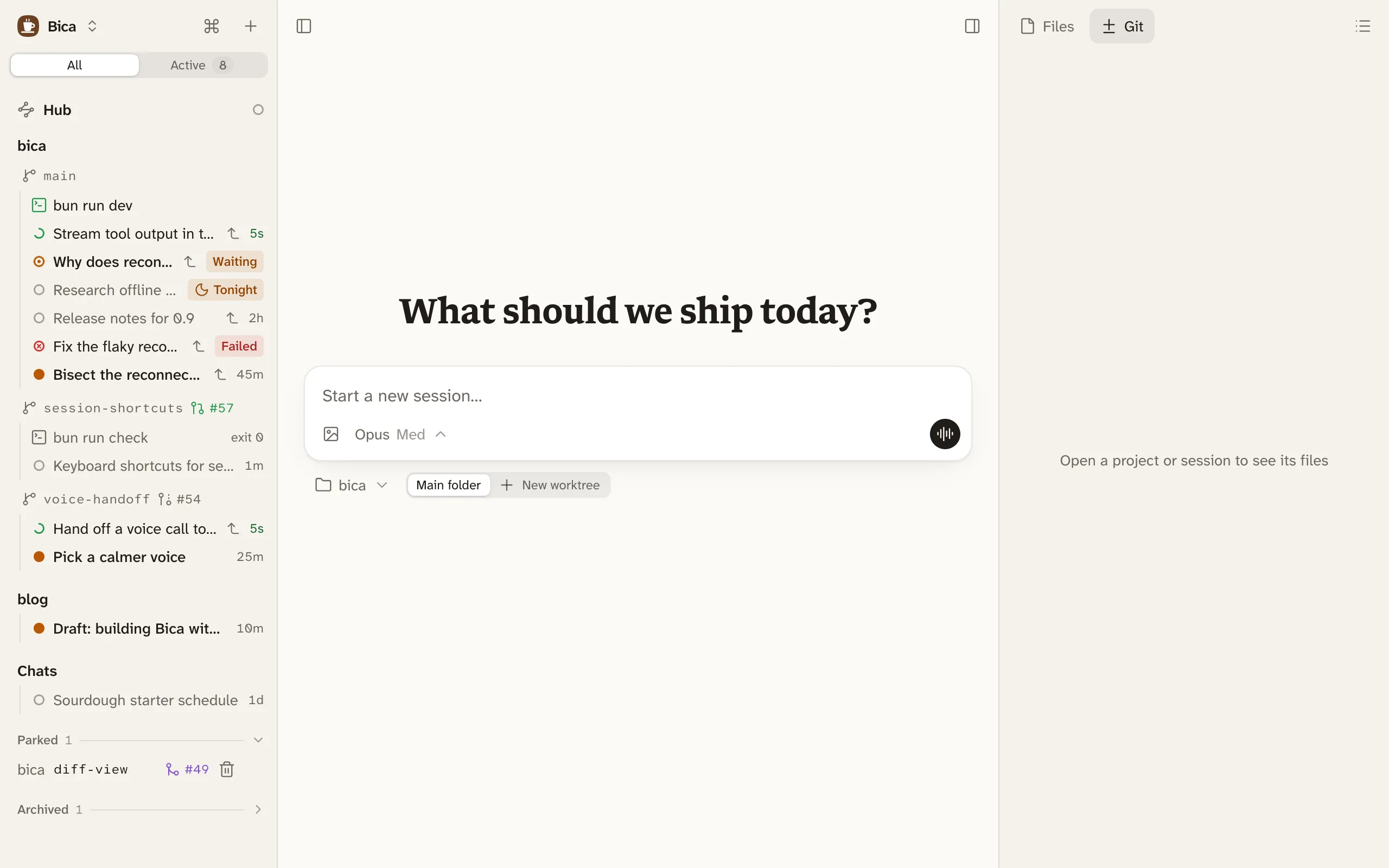
Start one
Section titled “Start one”The home page is a composer. Pick the project and Main folder or New worktree under it, write your first prompt, and send. The fast model names the session after that prompt. Click the title in the top bar or the sidebar to rename it.
Read the transcript
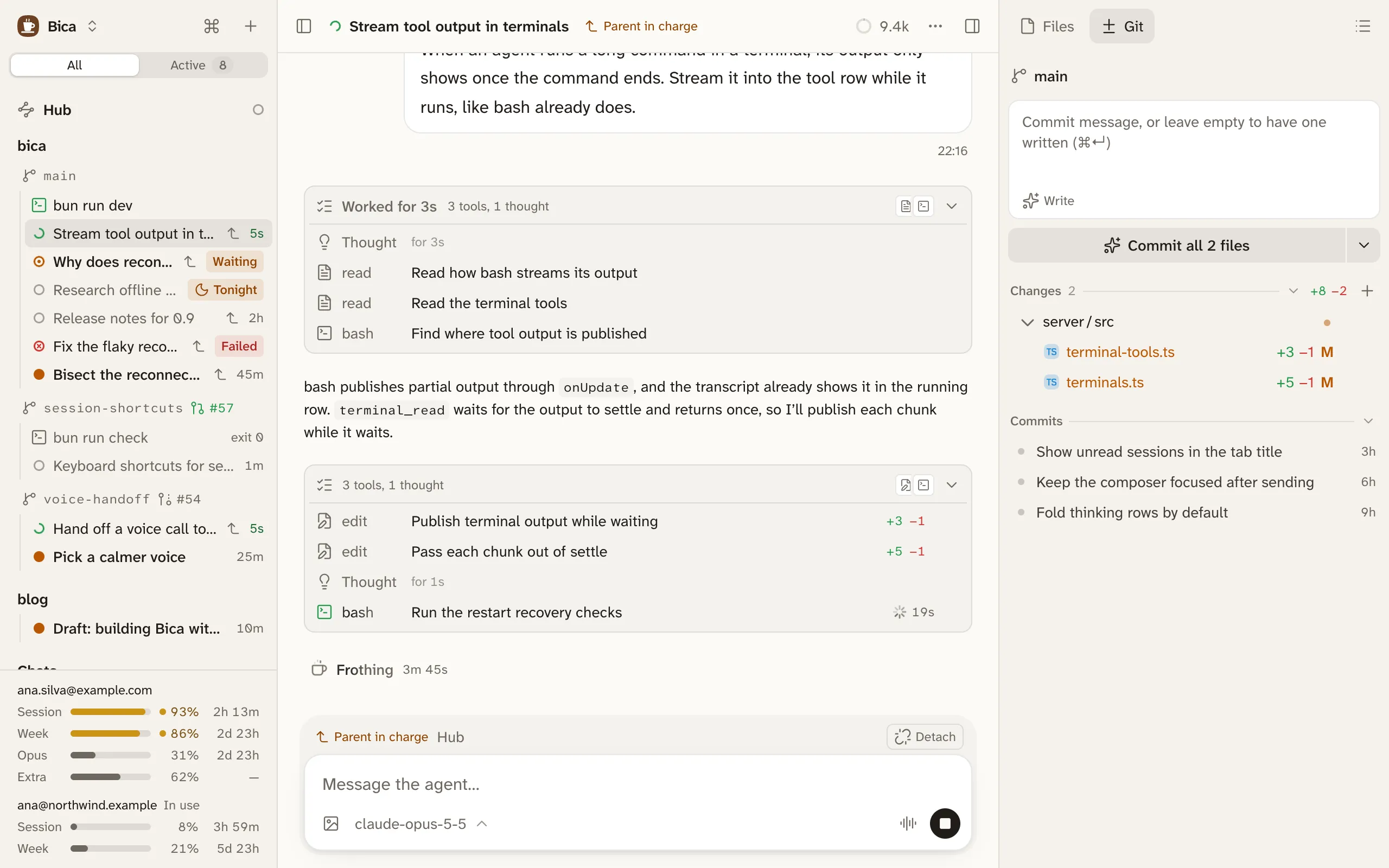
Section titled “Read the transcript”The transcript shows your prompts, the agent’s replies, and the work in between.
- Thinking and tool calls between two replies fold into one list, headed like “Worked for 18s · 6 tools, 1 thought”. Open a call to see its command and output, its diff, or its arguments.
- While the agent works, one line at the bottom shows how long the run has taken.
- Replies can hold diagrams, and a file path in a reply opens that file in Bica.
- Hover a reply to copy it or fork from it.
- Opening a session takes you back to where you were reading.
To hide thinking on one device, use Settings → Appearance → Hide thinking.
Status shows which sessions need you
Section titled “Status shows which sessions need you”A dot next to each session in the sidebar shows its status.
- Running: the agent is working, and the row shows a clock.
- Retrying: the provider failed, and Bica will try again.
- Waiting for you: the agent asked you a question.
- Unread: the run finished with a reply you haven’t opened.
- Failed: the last run ended in an error. A strip above the composer explains when the work is stuck, with Retry or Stop.
- Idle: everything else, including a run you stopped.
Waiting for you, Unread, and Failed count as needing you. Opening a session marks it read on every device. A chime plays when a session stops, and the installed app’s icon shows how many need you.
Session actions
Section titled “Session actions”The ⋯ menu in the top bar, a session’s menu in the sidebar, and ⌘K offer the same actions: Stop, Mark as unread, Rename, Fork, Archive, and a few more.
Fork makes a new session with the history up to a reply you pick, from Fork from here on that reply. It works in the same folder, so the files aren’t rolled back.
Archive moves a session to Archived at the bottom of the sidebar. Nothing is deleted, and the toast’s Undo or sending it a prompt brings it back.
- If the session leads child sessions or terminals, Bica asks which go with it. Child sessions you leave stay open, detached from it.
- Archiving the last open session of a worktree offers to remove the worktree too.
- A running session can’t be archived by you, but you can ask the agent to archive its own session, which happens when its turn ends.
- To archive many, ⌘-click or shift-click them in the sidebar and use the bar at the bottom.
- Prompting: sending while the agent works, images, and the model.
- The agent’s tools: what the agent can do in your project.
- Orchestration: sessions that start and follow other sessions.